
Would you like to transfer or synchronize data?
You can try FREE APPLICATION from online stores:



In this tutorial, we show you how to use PhoneCopy.com to safely back up the contacts stored on your Apple iPad. The service is free for personal use and works directly from your phone.
This guideline also works for similar devices like Apple iPhone 2G, Apple iPhone 3G, Apple iPhone 3GS, Apple iPhone 4, Apple iPod Touch.
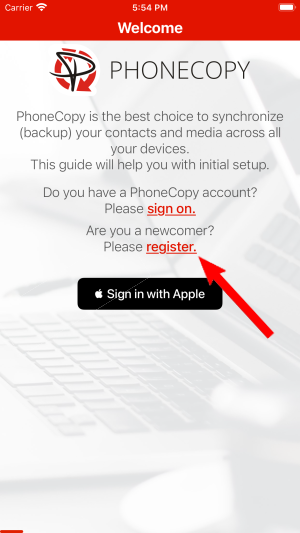
Run the app and create new account.
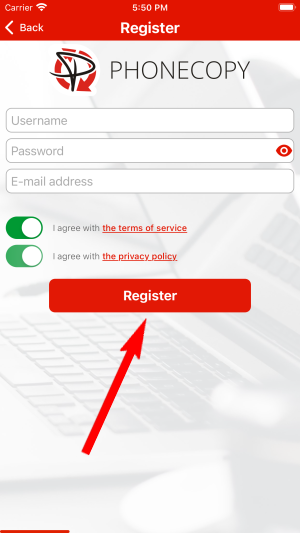
Then you need to allow PhoneCopy access to your contact list and select contacts which will be synchronized

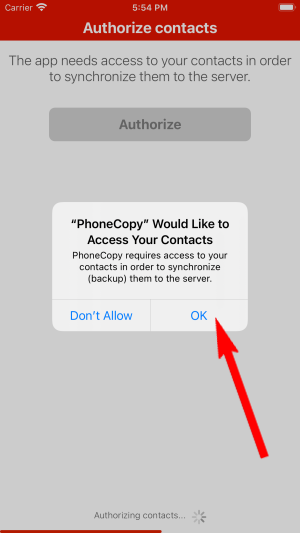
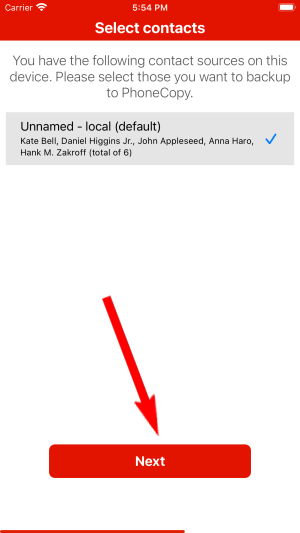
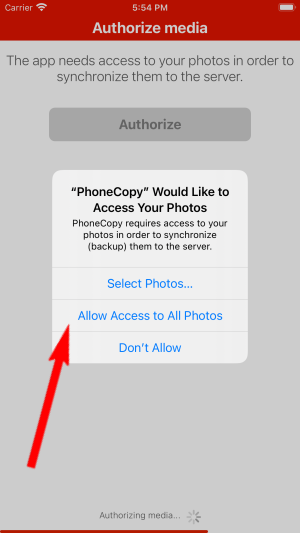
You can synchronize photos and videos too. Please note that the authorization of photos or videos is not required. If you will not grant it, PhoneCopy will only synchronize your contacts.

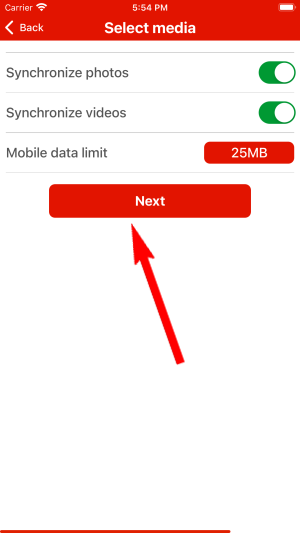
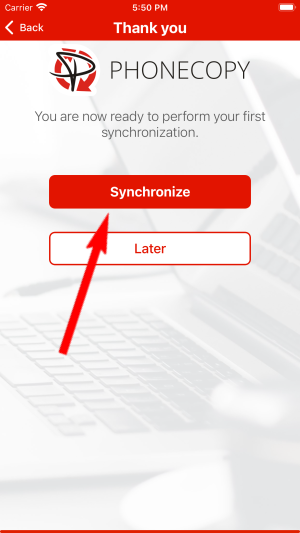
Let's synchronize!
This guideline also works for similar devices like Energizer E282sc, Energizer Energy e241, Energizer Energy e241s, Energizer Hardcase H280s.
Your contacts are now safely stored in your PhoneCopy account. You can view and manage them online at any time, even if your phone is lost, damaged, or simply out of reach.
On your online account, you will see full history of your contacts, as well as the data that you've deleted in between the synchronizations. You can find them in an archive from where you can restore them. And if this is still not enough of a backup for you, you can download a CSV file, that you can store in your computer.


