
Would you like to transfer or synchronize data?
You can try FREE APPLICATION from online stores:



PhoneCopy.com is a web service which is free for personal purposes (with few limitations). This tutorial will show you how to backup your data from Apple iPhone X. The whole process can be completed in few minutes.
This guideline also works for similar devices like Apple iPad Air 2, Apple iPad mini 2, Apple iPad Pro 12,9" 2nd gen, Apple iPhone 8, Apple iPhone 8 Plus, Apple iPhone Xs, Apple iPhone Xs Max.
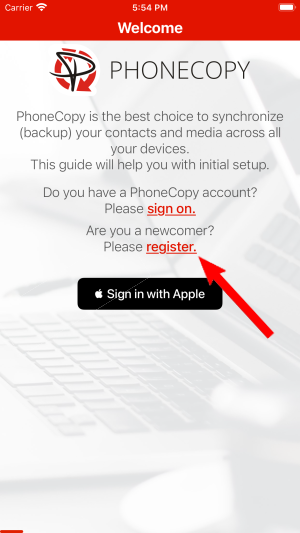
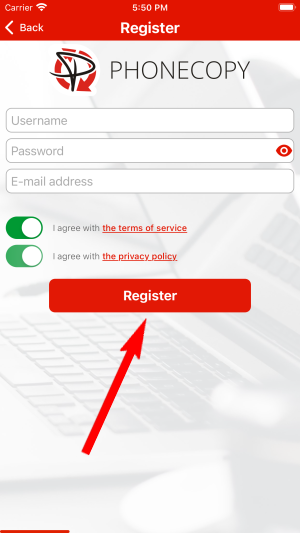
Run the app and create new account.
Then you need to allow PhoneCopy access to your contact list and select contacts which will be synchronized
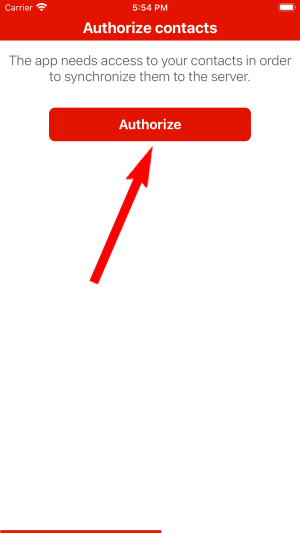
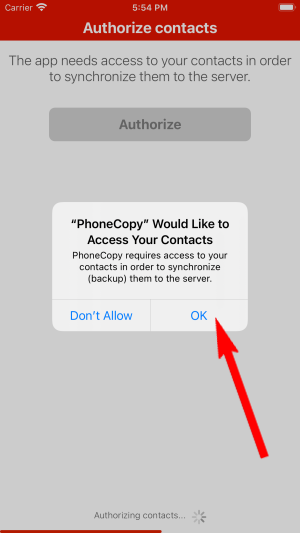
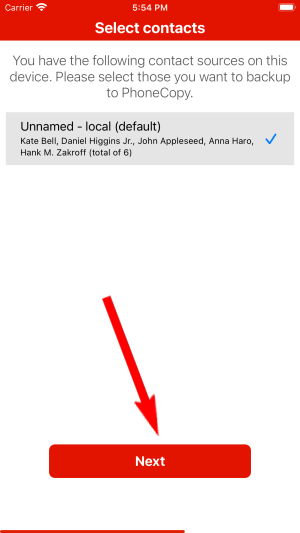
You can synchronize photos and videos too. Please note that the authorization of photos or videos is not required. If you will not grant it, PhoneCopy will only synchronize your contacts.
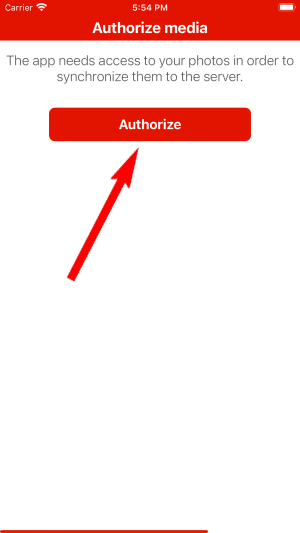
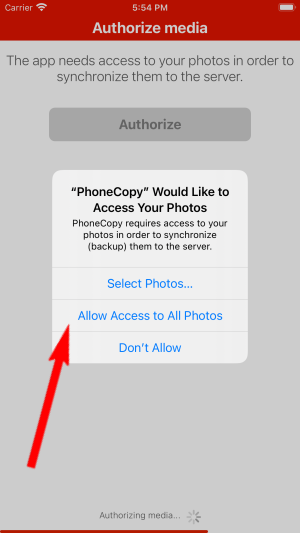
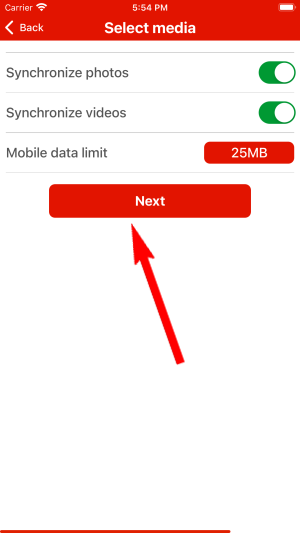
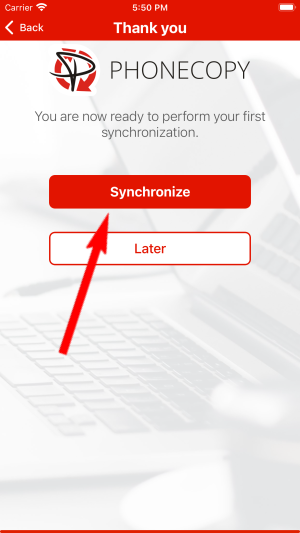
Let's synchronize!
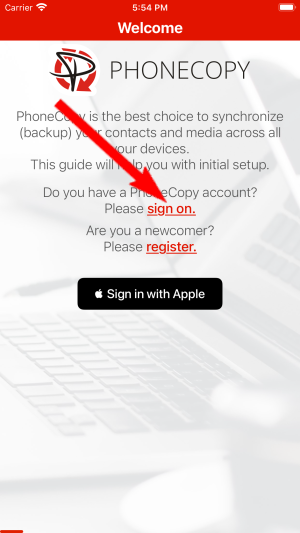
Run the app and select "Sign on" if you already have an account.
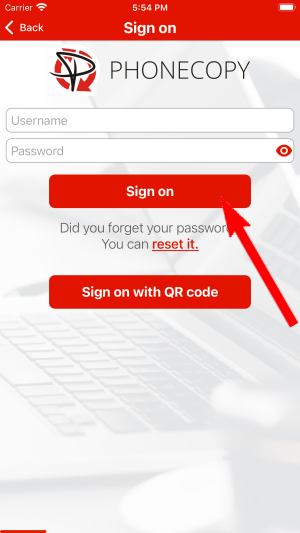
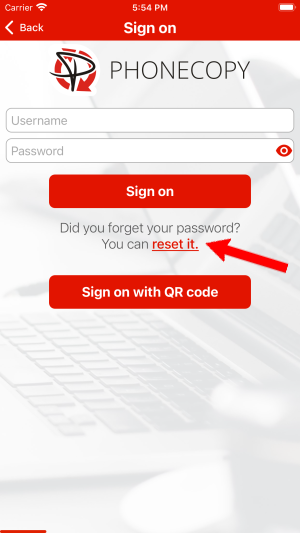
Then you need to allow PhoneCopy access to your contact list and select contacts which will be synchronized
You can also sync photos and videos. Please note that the authorization of photos or videos is not required. If you will not grant it, PhoneCopy will only synchronize your contacts.
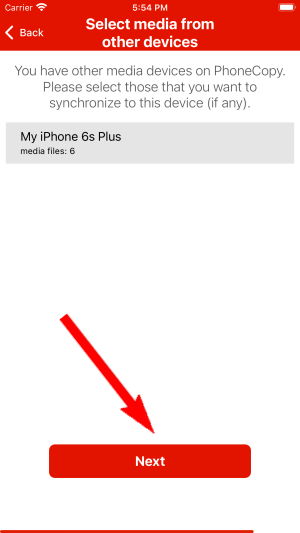
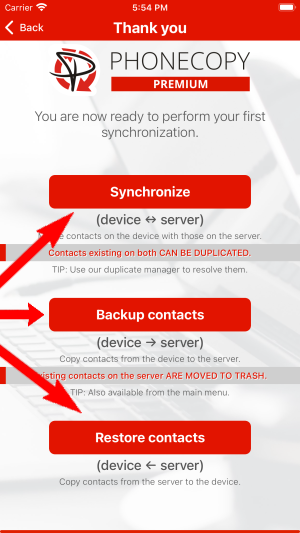
If you already have photos or videos in your PhoneCopy account you can choose from which phone(s) you want to transfer the backed up photos and videos to the new iPhone. Then let's synchronize!
This guideline also works for similar devices like Apple iPhone 11, Apple iPhone 11 Pro, Apple iPhone 11 Pro Max, Apple iPhone 12 mini, Apple iPhone 12 Pro, Apple iPhone 12 Pro Max, Apple iPhone 13, Apple iPhone 13 Pro, Apple iPhone SE 2020, Apple iPod Touch 7th generation.
Your contacts are now safely stored in your PhoneCopy account. You can view and manage them online at any time, even if your phone is lost, damaged, or simply out of reach.
The free PhoneCopy plan allows you to store up to 500 contacts, which is more than enough for most users. A premium plan is available if you need to sync more data or use advanced features.


