
Would you like to transfer or synchronize data?
You can try FREE APPLICATION from online stores:



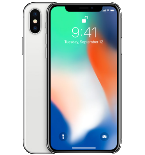
PhoneCopy.com is a web service which is free for personal purposes (with few limitations). This tutorial will show you how to backup your data from Apple iPhone X. The whole process can be completed in few minutes.
This guideline also works for similar devices like Apple iPad Air 2, Apple iPad mini 2, Apple iPad Pro 12,9" 2nd gen, Apple iPhone 8, Apple iPhone 8 Plus, Apple iPhone Xs, Apple iPhone Xs Max.
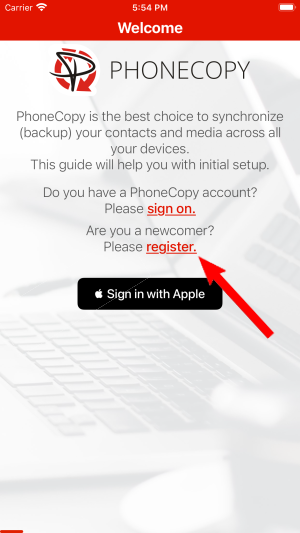
Run the app and create new account.
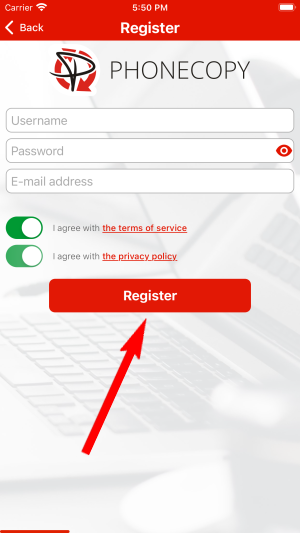
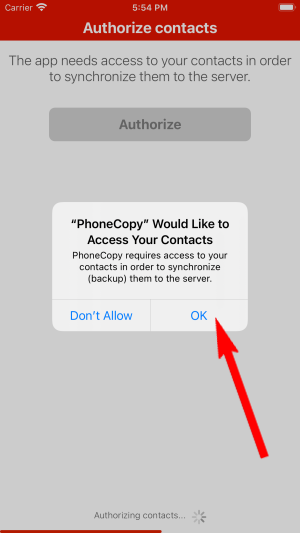
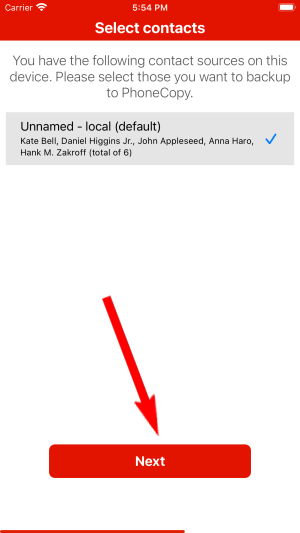
Then you need to allow PhoneCopy access to your contact list and select contacts which will be synchronized

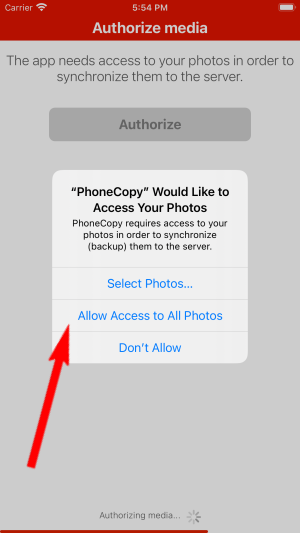
You can synchronize photos and videos too. Please note that the authorization of photos or videos is not required. If you will not grant it, PhoneCopy will only synchronize your contacts.

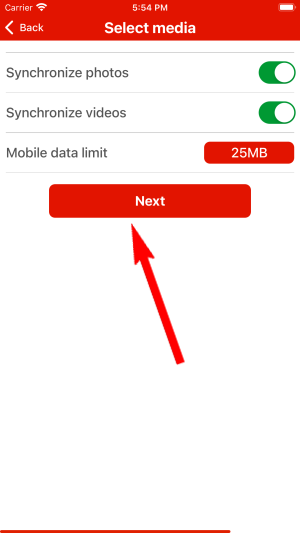
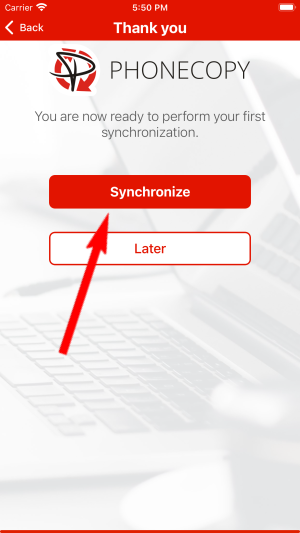
Let's synchronize!
This guideline also works for similar devices like Vida Atom 3G, Vida Kimem Kerefa 4G, Vida Smart Hi-Fi.
Now you have all your contacts backed up on PhoneCopy and you can edit all your contacts in your online account. If you lose your phone or the stored data, or if you just run out of battery, you can see your contacts online.
On your online account, you will see full history of your contacts, as well as the data that you've deleted in between the synchronizations. You can find them in an archive from where you can restore them. And if this is still not enough of a backup for you, you can download a CSV file, that you can store in your computer.


