Would you like to transfer or synchronize data?
You can try FREE APPLICATION from online stores:




Whether you are switching phones or just want a safe copy of your data, PhoneCopy.com is a great solution. This guide covers how to back up contacts from your BlackBerry 9720 quickly and easily.
This guideline also works for similar devices like BlackBerry Curve 3G 9330, BlackBerry Curve 9315, BlackBerry Curve 9320, BlackBerry Curve 9350, BlackBerry Curve 9360, BlackBerry Curve 9370, BlackBerry Curve 9380.
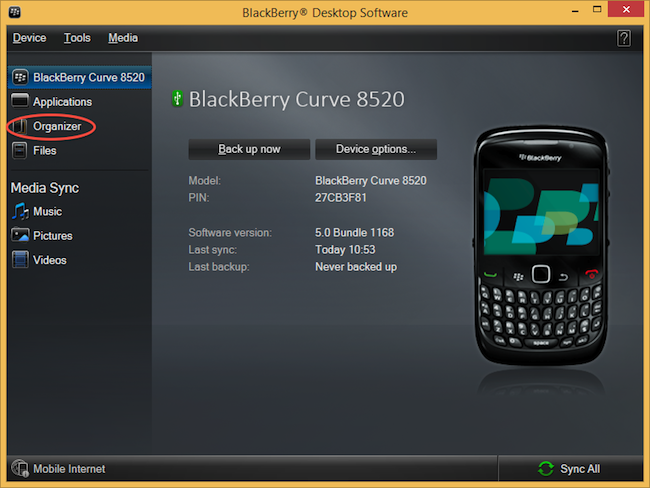
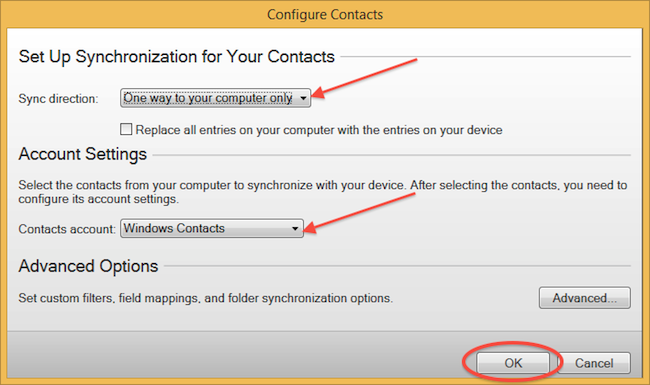
Select "Configure".
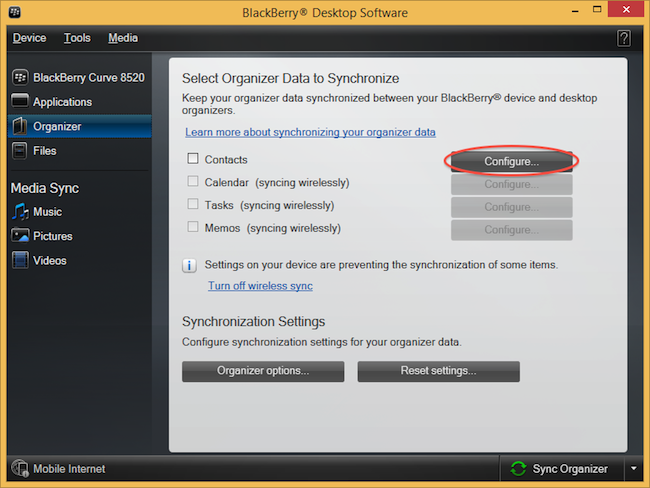
Open "Sync direction" menu and select "One way to your computer only". Open "Contacts account" menu, choose "Windows contacts" and press "OK".
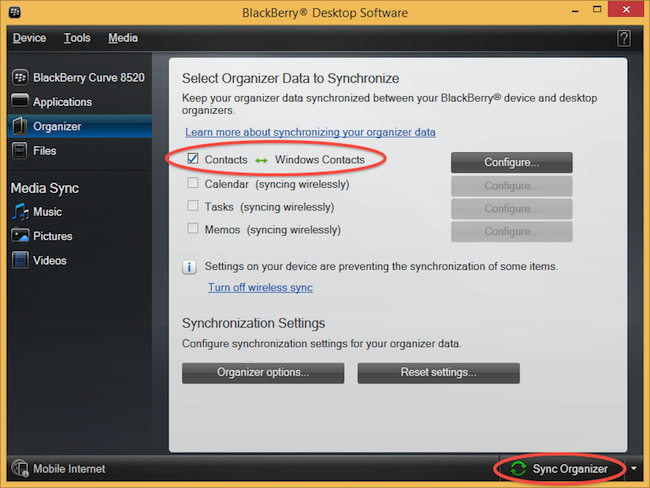
Mark "Contacts" and press "Sync Organizer".
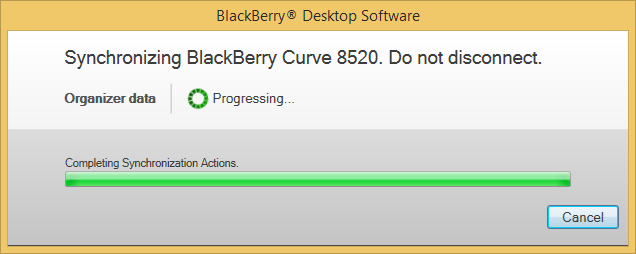
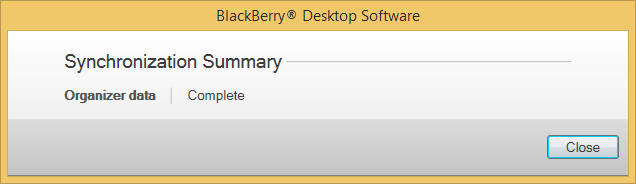
Transfer Windows contacts to PhoneCopy using our PhoneCopy for Windows aplication.
This guideline also works for similar devices like Apple iMac, Apple Mac Mini, Apple Mac OS X, Apple Mac Pro, Apple Mac Studio, Apple MacBook Air, Apple MacBook Neo, Apple MacBook Pro.
Now you can easily edit your contacts and other resources online in your PhoneCopy profile. You have access to your contact even if you forget your phone at home.
If the sync does not complete, make sure your phone has a stable internet connection and that background data is enabled for the PhoneCopy app. A brief pause and retry usually resolves the issue.


