Would you like to transfer or synchronize data?
You can try FREE APPLICATION from online stores:




In our guideline we will introduce PhoneCopy.com service which supports many phones from almost all manufacturers, including BlackBerry Curve 9220, and can be easily used to synchronize data between two or more devices.
This guideline also works for similar devices like BlackBerry Bold 9790, BlackBerry Bold Touch 9900, BlackBerry Curve 3G 9300, BlackBerry Curve 3G 9330, BlackBerry Curve 9320, BlackBerry Curve 9350, BlackBerry Touch Touch 9930.
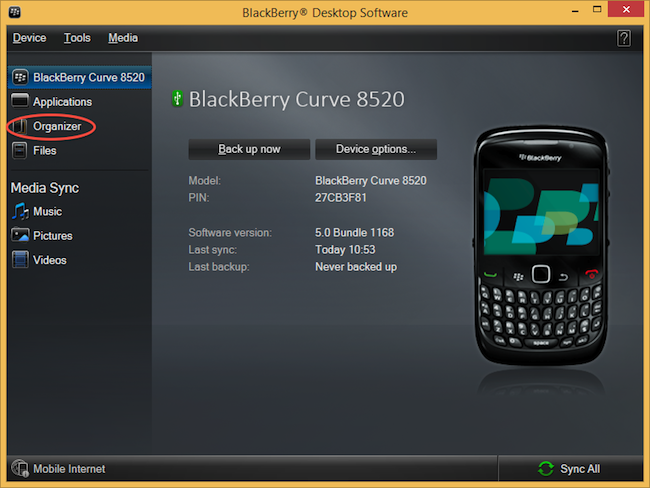
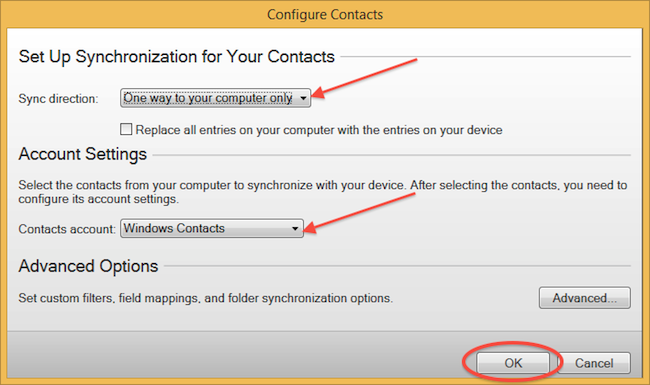
Select "Configure".
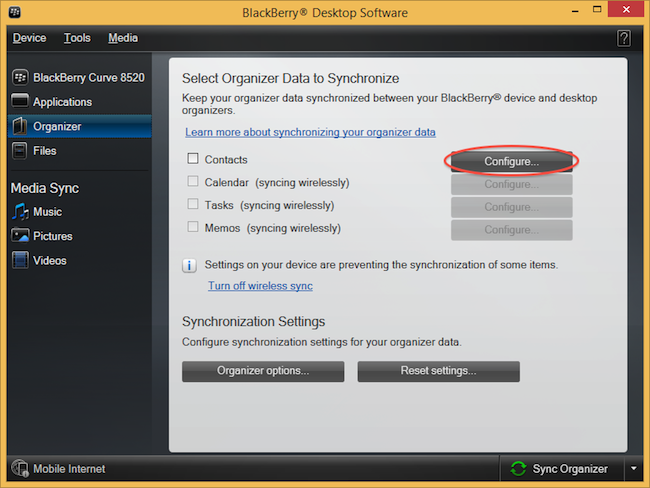
Open "Sync direction" menu and select "One way to your computer only". Open "Contacts account" menu, choose "Windows contacts" and press "OK".
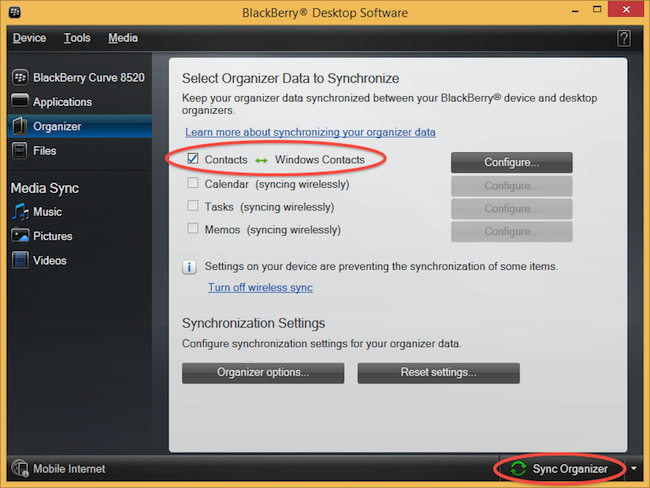
Mark "Contacts" and press "Sync Organizer".
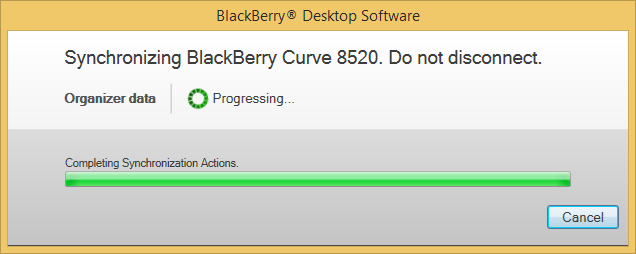
Transfer Windows contacts to PhoneCopy using our PhoneCopy for Windows aplication.
This guideline also works for similar devices like Alcatel 3088X, Alcatel 4052c, Alcatel 4052r, Alcatel 4052w, Alcatel MyFlip A405DL.
Well done — your contacts are now securely backed up in the cloud. Open your PhoneCopy account in any browser to review your data or make changes at any time.
On your online account, you will see full history of your contacts, as well as the data that you've deleted in between the synchronizations. You can find them in an archive from where you can restore them. And if this is still not enough of a backup for you, you can download a CSV file, that you can store in your computer.


