
Would you like to transfer or synchronize data?
You can try FREE APPLICATION from online stores:



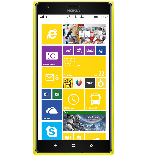
PhoneCopy.com is a reliable way to keep your contacts safe. Follow this guide to learn how to back up your Lumia data quickly and without any technical knowledge.
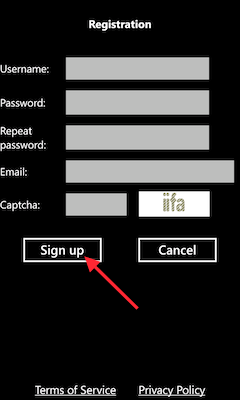
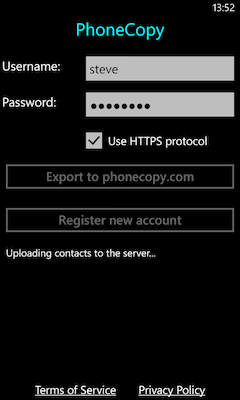
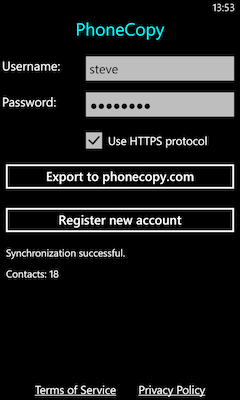
Download the PhoneCopy application from windowsphone.com. If you do not have a PhoneCopy account yet, press "Register new account" and create it by filling in "Registration" and then press "Sign up".
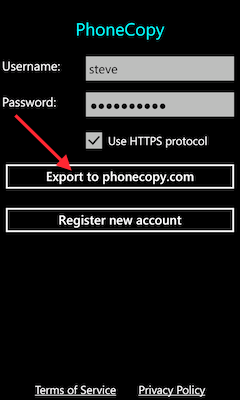
If you already have a PhoneCopy account, fill in your username and password. To export your contacts, press "Export to PhoneCopy.com". If you want to upload your merged contacts back to the same Windows Phone 8.1, it is necessary to delete all contacts there first.
This guideline also works for similar devices like Fise M32424, Fise M32428, Fise M32433 3G, Fise M42421, Fise M42428, Fise M42433, Fise M42842.
Your data is now safe on PhoneCopy. The service stores a full copy of your contacts online, so you can access them from any device or restore them whenever needed.
If you ever get a new phone, you can restore all your contacts in minutes using PhoneCopy. The service supports a wide range of manufacturers, so switching between brands is no problem.


