Would you like to transfer or synchronize data?
You can try FREE APPLICATION from online stores:



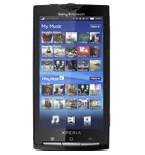


PhoneCopy.com makes it simple to back up your contacts from Sony Ericsson Xperia X10 to the cloud. In this guide, we will walk you through the entire process step by step.
This guideline also works for similar devices like Sony Ericsson Xperia Arc LT15i, Sony Ericsson Xperia mini pro SK17a, Sony Ericsson Xperia X10 mini (E10i), Sony Ericsson Xperia X10i (Rachael), Sony Ericsson Xperia X8 (E15-Shakira).
Download PhoneCopy for Android to your Android phone, which you can download free of charge. After downloading and installation, go through following steps.
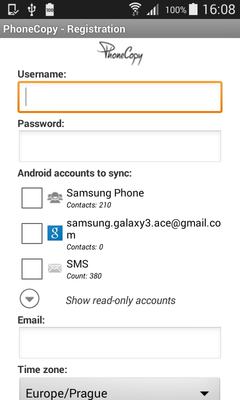
Run the app and create new account. You can check which contact databases you want to backup and synchronize. You can do multiple choice.
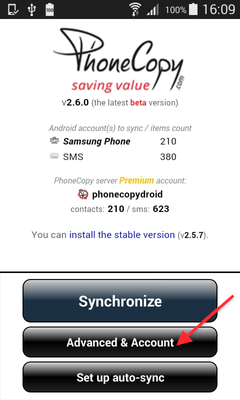
After successful login, press "Advanced & Account". Select "One-way sync" and after choose "This device >> server".
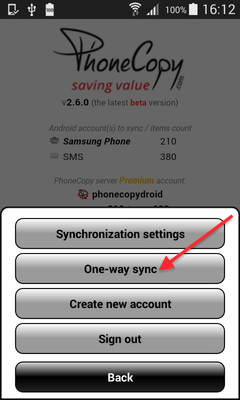
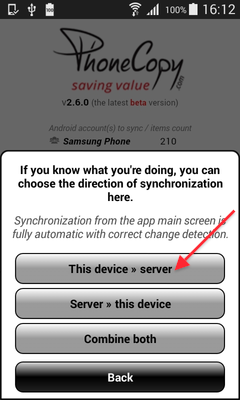
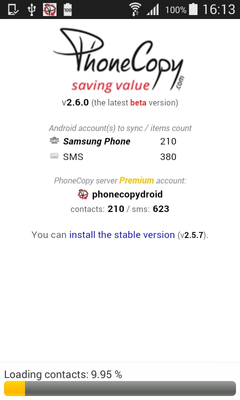
Contacts from your Android phone will be copied to PhoneCopy.com server in few seconds.
This guideline also works for similar devices like Nokia 2720 Flip, Nokia 6300 4G, Nokia 800 Though, Nokia 8000 4G.
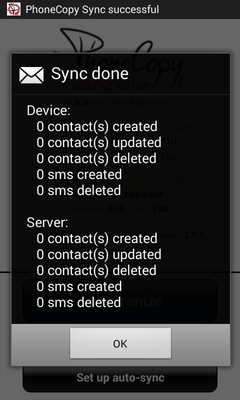
Once everything is done, check your data on the web. Login to PhoneCopy webpage and you will see brief review of all data transferred from your device. With another mouse click, you can review the change of each particular item.
If you ever get a new phone, you can restore all your contacts in minutes using PhoneCopy. The service supports a wide range of manufacturers, so switching between brands is no problem.


