Would you like to transfer or synchronize data?
You can try FREE APPLICATION from online stores:




We used PhoneCopy.com service for this guideline. Using it, your can backup your contacts from your Windows easily. The whole backup, including the settings, can be done in several minutes.
This guideline also works for similar devices like Microsoft Windows 2000, Microsoft Windows 2003, Microsoft Windows 2008, Microsoft Windows 7, Microsoft Windows 8.1, Microsoft Windows 98, Microsoft Windows ME.
Download PhoneCopy for Windows to your Windows, which you can download free of charge. After downloading and installation PhoneCopy icon will appear on your desktop.

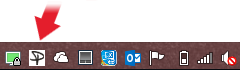
Start the application and small PhoneCopy icon will appear on right bottom corner of your screen on status bar. When you will press this icon at first time you will be asked to fill your username and password. Any next icon click will start synchronization.
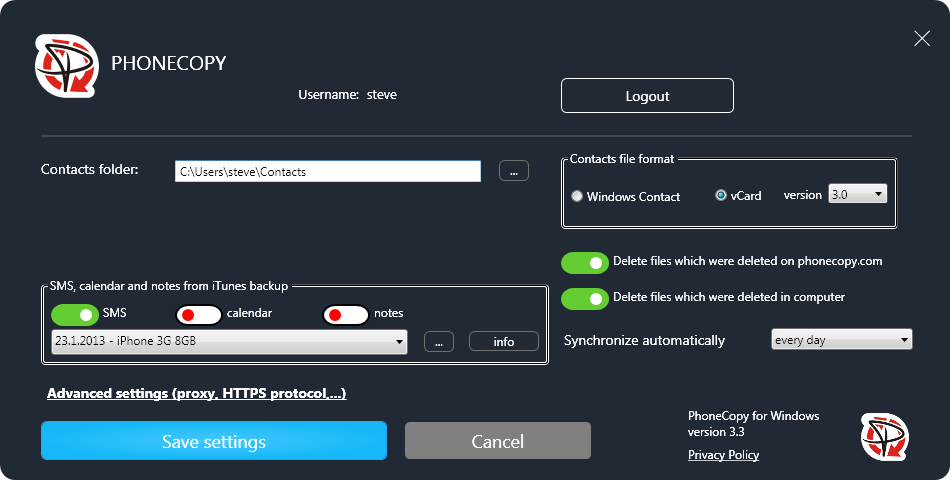
Start PhoneCopy for Windows. Fill your PhoneCopy username and password, select local directory to store contacts, and choose VCARD format which will be used (we recommend to use 3.0 which is pre-selected). Another option is to use native Windows Contacts format and synchronize directly to Contacts folder. Also you can set your proxy.
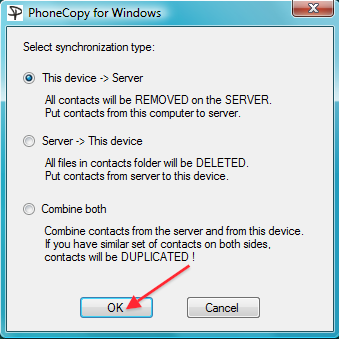
Now you can start the first synchronization on your Windows to transfer your contacts from/to PhoneCopy server. Also you have some contacts at PhoneCopy.com server, they will be copied to selected directory. Status bar icon is animated during synchronization process.
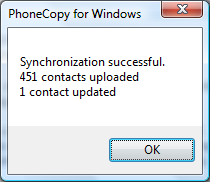
When synchronization finish you will get confirming message.
This guideline also works for similar devices like Fise M32421, Fise M32424, Fise M32428, Fise M32433 3G, Fise M42421A, Fise M42428, Fise M42433, Fise M42842.
From now on, your contacts are protected. If anything happens to your Windows, simply log into PhoneCopy to access or restore your data instantly.
PhoneCopy also supports syncing notes, calendar events, and SMS messages on many devices, not just contacts. Check the PhoneCopy website to see the full list of supported data types for your phone.


